How to Sign Up on BitMart in 2026 ? Full Step-by-Step Guide
Bitmart stands out today as one of the most user-friendly cryptocurrency exchange platforms, offering over 1500 trading pairs in 180 countries. Founded in 2017 and headquartered in New York, Bitmart attracts numerous investors with its advanced features and intuitive interface. Join us on a step-by-step guide to registering on Bitmart, from account creation to mastering its sophisticated trading tools.
Signing up on Bitmart takes only a few minutes and requires no special technical skills. The platform has simplified this process as much as possible to allow new users to quickly access cryptocurrency markets.
Step 1 : Access the Official Website
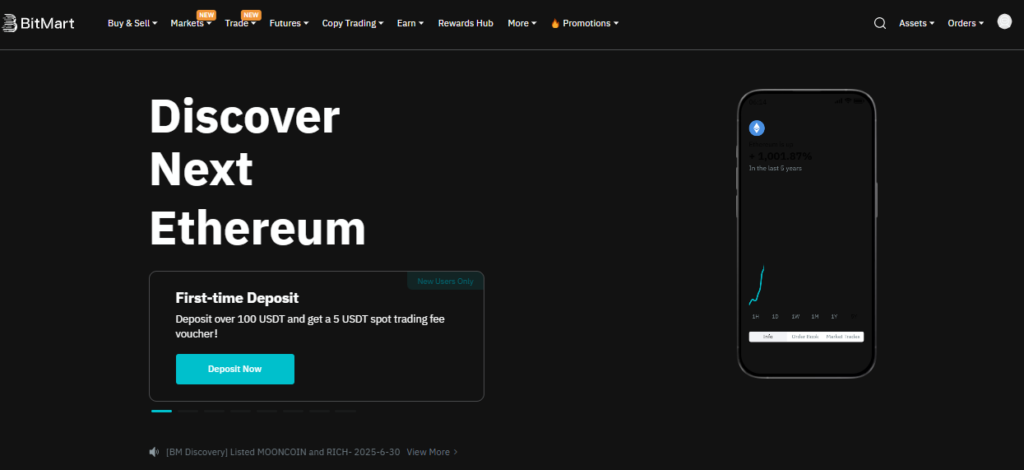
The first step is to visit the official Bitmart website at bitmart. Once on the homepage, click on the “Get Started” or “Sign Up” button located in the top right corner of the interface.
Step 2 : Choose Your Registration Method
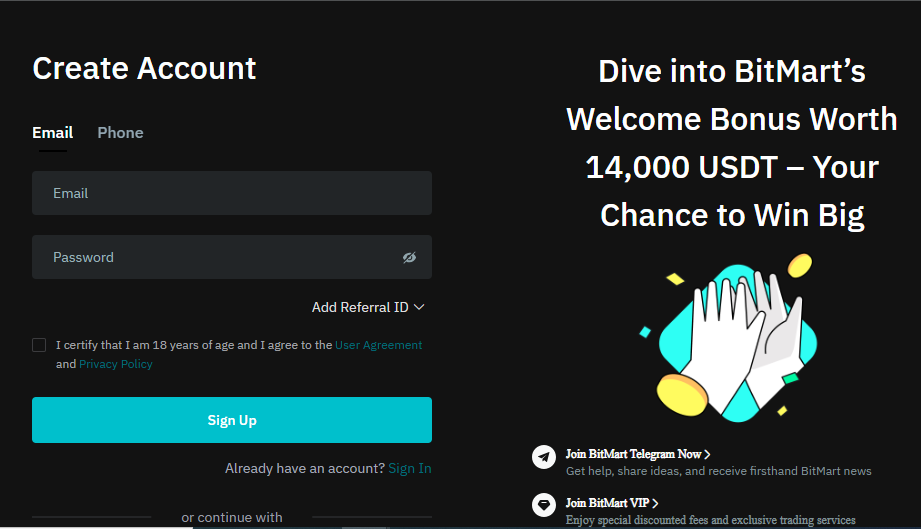
Bitmart offers several options to create your account. You can opt for registration via your email address, your phone number, or use your Google or Apple accounts for simplified login. Email registration remains the most common and secure method for most users.
Step 3 : Enter Your Information
If you choose email registration, enter your email address in the field provided. Make sure to use a valid and accessible email address, as you will receive a verification code essential for activating your account. Then accept the platform’s terms of service and privacy policy.
Step 4 : Verification by Code
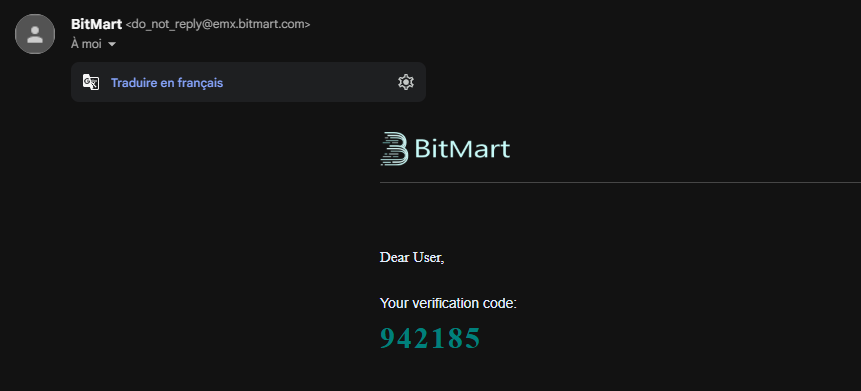
After submitting your registration request, Bitmart will automatically send a six-digit verification code to your email address. This code has a limited validity period, typically 10 minutes. Enter this code in the registration interface to confirm ownership of your email address.
Step 5 : Create a Password
The next step is to set a secure password for your account. Bitmart imposes certain security criteria: your password must contain at least 8 characters, include uppercase and lowercase letters, numbers, and special characters. To optimize your account security, avoid using this password on other platforms and consider using a password manager.
Step 6 : Finalize Registration
Once your password is set and confirmed, your Bitmart account is officially created. You will receive a confirmation email containing your registration details. At this stage, you can already access some basic features of the platform, but to unlock all services, especially withdrawals and high trading limits, you will need to complete the identity verification process (KYC).
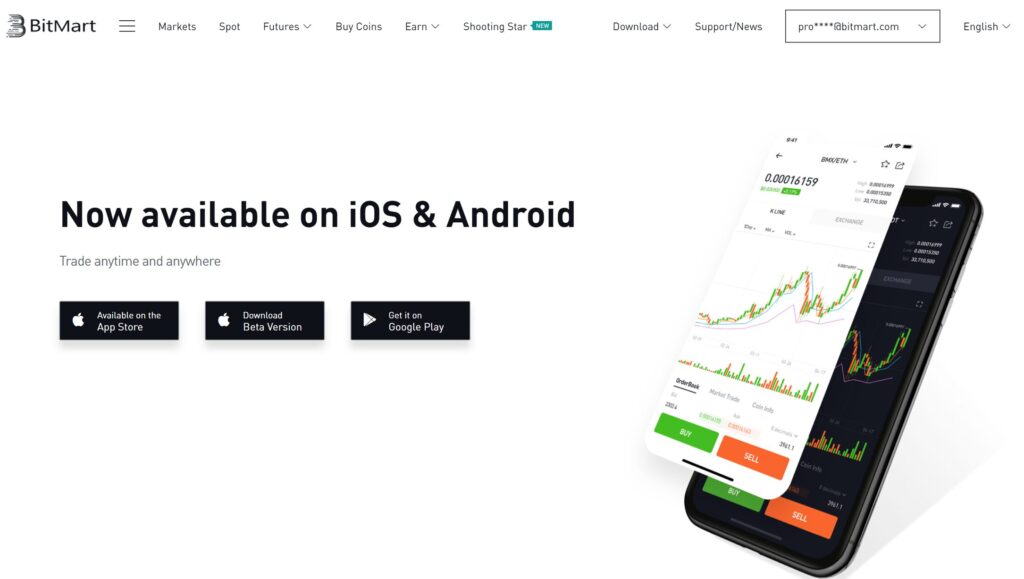
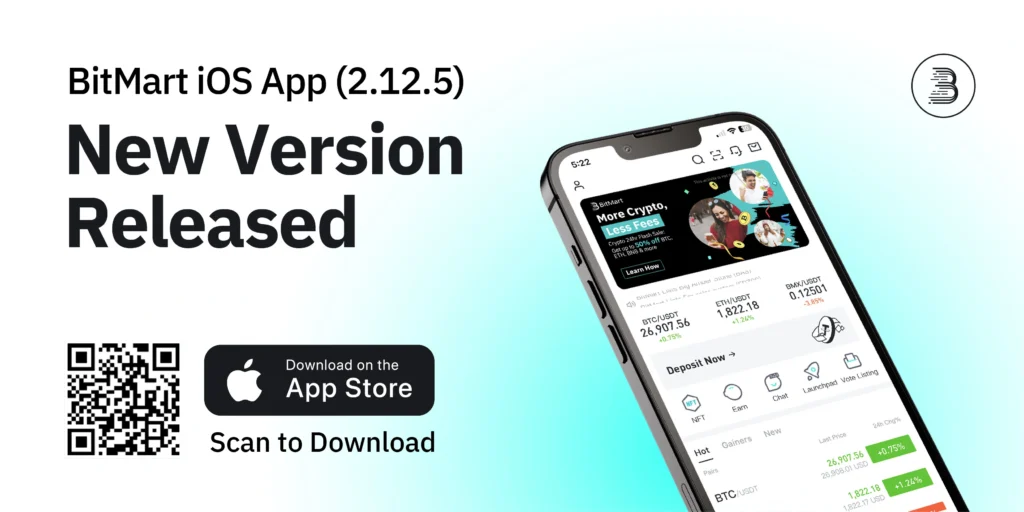
Signing up on Bitmart via smartphone offers an optimized and particularly convenient experience for mobile users. The platform offers a native application available on iOS and Android, specially designed to facilitate the management of your investments on the go.
Step 1 : Download the Official Application
To begin, go to the App Store (iOS) or Google Play Store (Android) and search for “BitMart”. Be sure to download only the official application developed by “BitMart Exchange“. The authentic app typically displays more than 50,000 reviews and maintains a high rating. Beware of fraudulent applications that attempt to mimic the Bitmart interface to steal your personal information.
Step 2 : Optimized Mobile Interface
Once the application is installed, launch it and select “Sign Up” or “Create Account” on the home screen. The mobile interface of Bitmart has been specially adapted for touchscreens, offering smooth and intuitive navigation. The buttons are sufficiently spaced to avoid input errors, and the forms automatically adapt to your screen size.
Step 3 : Mobile Registration Process
The registration process via the mobile application follows the same steps as the web version but benefits from specific optimizations. You can use automatic recognition of your email address if it is registered on your device, or opt for registration via your phone number by selecting your country code from the dropdown list.
Advantages of Mobile Registration
Mobile registration offers several practical advantages. SMS verification is generally faster than email, and you can immediately activate push notifications to track the evolution of your investments in real time.
The mobile application also integrates advanced security features such as biometric authentication (fingerprint or facial recognition) to secure access to your account.
Multi-device Synchronization
Once your account is created via the mobile application, you can access it from any device using your credentials. Bitmart automatically synchronizes your data between the web and mobile versions, allowing you to easily switch from one platform to another according to your needs.
This flexibility is particularly useful for active traders who want to monitor their positions constantly.
The identity verification (KYC) process is a mandatory step to fully access Bitmart services. This procedure, imposed by international anti-money laundering regulations, helps to secure the platform and protect all its users.
Different KYC Verification Levels
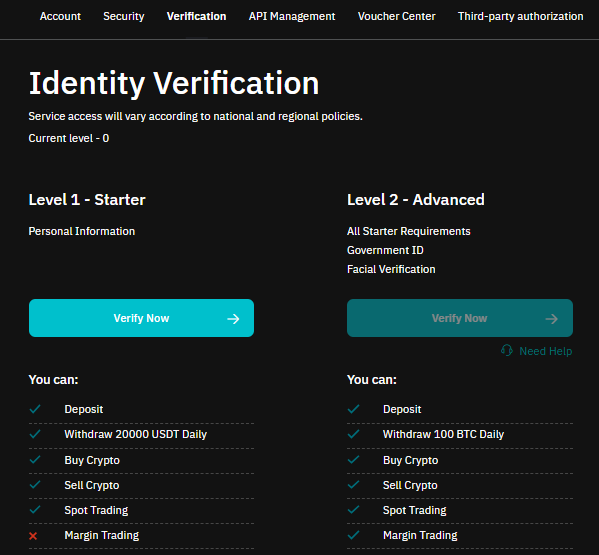
Bitmart offers two distinct KYC verification levels, each unlocking specific features and limits.
The “Starter” level allows access to basic features with reduced withdrawal limits, while the “Advanced” level offers full access to all platform services, including considerably higher trading and withdrawal limits.
Prerequisites for KYC Verification
Before starting the verification process, make sure you have the required documents. You will need a valid official ID (passport, national identity card, or driver’s license), a proof of address (electricity bill, bank statement, or proof of residence) and a smartphone or webcam to take photos and the verification selfie.
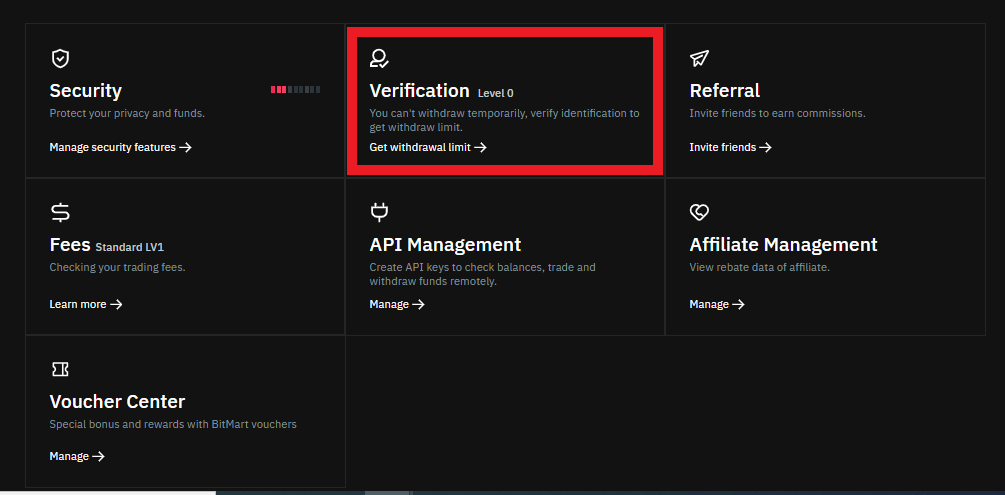
Step 1 : Access Verification
To initiate the KYC process, log in to your Bitmart account and go to the “Account Verification” section in your profile settings. Click on “Verify Now” to start the procedure. The platform will automatically guide you through each step of the process.
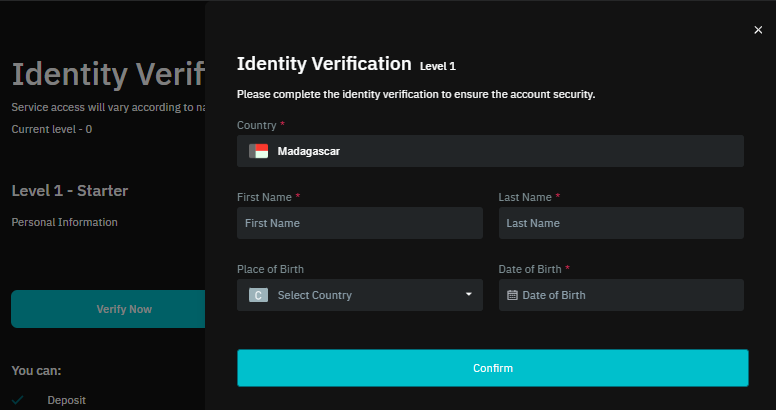
Step 2 : Personal Information
Fill in your personal information accurately: full name, first name, date of birth, nationality, and residential address. It is crucial that this information exactly matches what appears on your identity documents, as any discrepancy could result in rejection of your verification request.
Step 3 : Document Sharing
Upload high-quality photos of your ID. Bitmart requires clear, legible images that distinctly show all details of the document. Avoid reflections, shadows, or blurs that could compromise the readability of information. For proof of address, ensure it is dated within the last three months and clearly displays your name and address.
Step 4 : Verification Selfie
The final step involves taking a real-time selfie while holding your ID next to your face. This photo allows Bitmart to verify that you are indeed the person appearing on the ID. Remove your glasses and any headwear, and ensure there is sufficient lighting so your face is clearly visible.
Timeframes and Validation
The KYC verification process typically takes between 24 and 72 business hours. Bitmart will notify you by email as soon as your verification is approved or if additional documents are required. Once validated, your status will change to “Verified” and you will be able to access all the platform’s features, including withdrawal limits of up to 100 BTC per day for the Advanced level.
Depositing funds on Bitmart is primarily done through cryptocurrency transfers. This approach, common among international exchanges, requires you to already own cryptocurrencies in another wallet or on another platform.
1. Available Deposit Methods
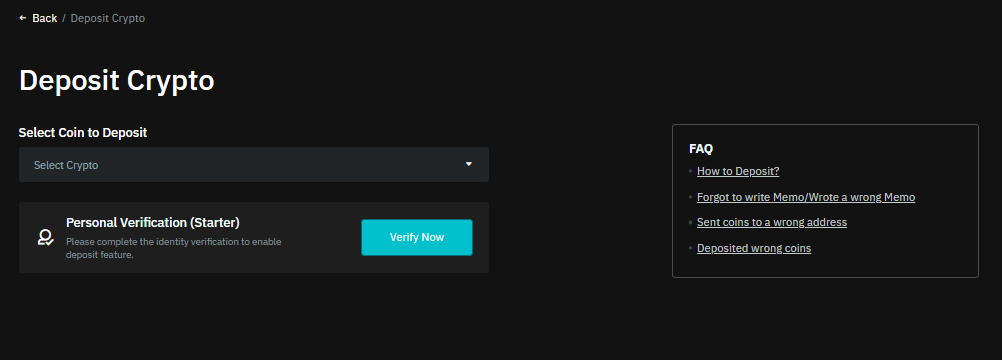
Bitmart accepts more than 1500 different cryptocurrencies, including major ones like Bitcoin (BTC), Ethereum (ETH), Tether (USDT), Solana (SOL) and Binance Coin (BNB). To make a deposit, go to the “Wallet” section of your account, then select “Deposit”. Choose the cryptocurrency you wish to deposit from the dropdown list.
2. Generating a Deposit Address
Once the cryptocurrency is selected, Bitmart automatically generates a unique deposit address associated with your account. This address, consisting of a long string of alphanumeric characters, serves as an identifier to receive your funds.
It is crucial to verify that you select the correct blockchain network (e.g., ERC-20 for Ethereum tokens or BEP-20 for the Binance Smart Chain) to avoid any loss of funds.
3. Fund Transfer
Copy the deposit address generated by Bitmart and use it as the destination address in your external wallet or other exchange platform. Carefully check each character of the address before confirming the transfer, as an error would make the transaction irreversible.
Finally, enter the amount you wish to send and validate the transaction. Deposits are free on Bitmart, only blockchain network fees apply.
Confirmation Times
Confirmation times vary depending on the cryptocurrency and the state of the blockchain network. Bitcoin deposits typically require 3 confirmations (about 30 minutes), while ERC-20 tokens on Ethereum require 12 confirmations (about 3 minutes). Bitmart displays the status of your deposit in real-time in the transaction history.
Withdrawing cryptocurrencies from Bitmart to an external wallet is a common operation that every user should master. Here is a detailed guide to making your first withdrawal safely.
1. Verify Prerequisites
Before making your first withdrawal, ensure you have completed KYC verification and activated two-factor authentication (2FA). These security measures are mandatory to protect your funds against unauthorized access. Bitmart also imposes a 24-hour waiting period after account creation before authorizing the first withdrawal.
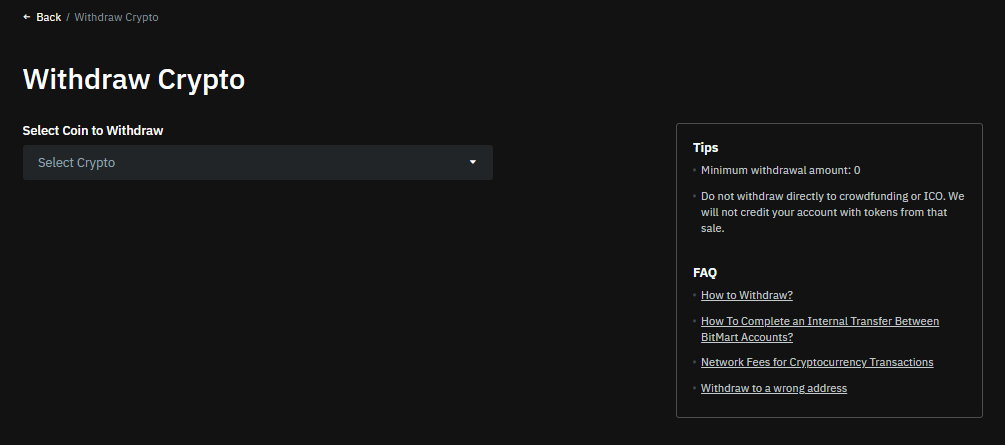
2. Access the Wallet Section
Log in to your Bitmart account and go to the “Wallet” section in the main menu. This section centralizes all your cryptocurrencies and their available balances. Click on “Withdraw” to access the withdrawal interface.
3. Select the Cryptocurrency
From the dropdown list, choose the cryptocurrency you wish to withdraw. Bitmart automatically displays your available balance for this cryptocurrency. Verify that you have a sufficient amount, taking into account the withdrawal fees that will be deducted.
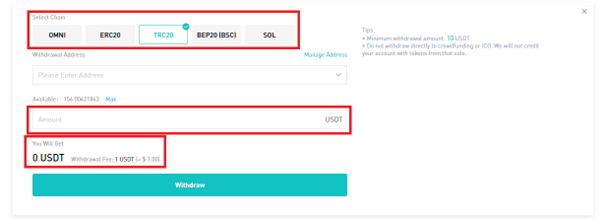
4. Choose the Blockchain Network
Select the appropriate blockchain network for your withdrawal. For example, for USDT, you can choose between ERC-20 (Ethereum), TRC-20 (Tron) or BEP-20 (Binance Smart Chain). Make sure the chosen network corresponds to the one supported by your destination wallet.
5. Enter the Destination Address
Copy and paste the destination address of your external wallet into the provided field. Carefully check each character of this address, as an error would result in a permanent loss of your funds. Bitmart often offers an address book function to save your frequently used addresses.
6. Set the Amount
Enter the amount you wish to withdraw. Bitmart automatically displays the withdrawal fees and the net amount you will receive. Verify that the amount respects the minimum and maximum withdrawal limits for your verification level.
7. Confirm the Transaction
Before validating, check all details one last time: cryptocurrency, network, destination address, and amount. Click on “Confirm” to initiate the withdrawal process.
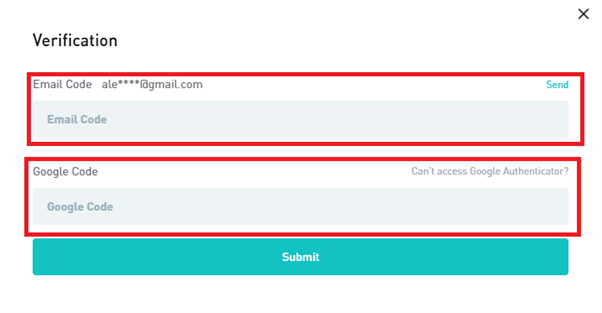
8. Secure Validation
Bitmart will ask you to confirm the transaction via your 2FA authentication. Enter the code generated by your authentication app. You will also receive a confirmation email with a link to click to finalize the withdrawal.
Confirmation Times
Once the request is validated, you can track the status of your withdrawal in the transaction history. Bitmart displays the status in real-time: “Processing”, “Sent” or “Confirmed”. Withdrawals are typically processed within 30 minutes to 2 hours depending on platform traffic.
Bitmart has established itself since its creation in 2017 as one of the major players in the cryptocurrency exchange sector. Based in New York and registered in the Cayman Islands, this global platform now serves more than 9 million users across 180 countries. The exchange offers more than 1500 trading pairs, covering the entire spectrum of digital assets, from established cryptocurrencies to emerging tokens.
Beyond traditional spot trading, Bitmart offers sophisticated features such as futures trading with leverage and copy trading. The platform has also developed a complete range of savings and staking products, allowing users to generate passive income. In 2018, Bitmart launched its native token, the BitMart Token (BMX), which offers discounts on trading fees and access to premium features.
Security is an absolute priority for Bitmart, which has implemented multi-layered protection protocols. Although the platform experienced an incident in December 2021 with the theft of $196 million, the commitment to fully reimburse affected users demonstrated its financial strength. Since this incident, Bitmart has significantly strengthened its security measures and maintains constant monitoring of its systems.
What Are the Fees on Bitmart ?
The fee structure of Bitmart stands out for its transparency and competitiveness in the cryptocurrency exchange market. The platform applies a tiered fee system that rewards the most active traders while remaining accessible to occasional investors.
Spot Trading Fees
For spot trading, Bitmart uses the classic Maker-Taker model with fees starting at 0.25% for both order categories.
Makers, who add liquidity to the order book by placing limit orders, generally benefit from slightly lower fees than Takers, who remove liquidity by executing market orders. This structure encourages the creation of liquidity on the platform.
Futures Trading Fees
Futures trading on Bitmart benefits from particularly attractive pricing with Maker fees set at 0.02% and Taker fees at 0.06%. These rates, below the market average, position Bitmart as a competitive option for derivatives traders. The platform also offers regular promotions with reduced fees on certain trading pairs.
Deposit and Withdrawal Fees
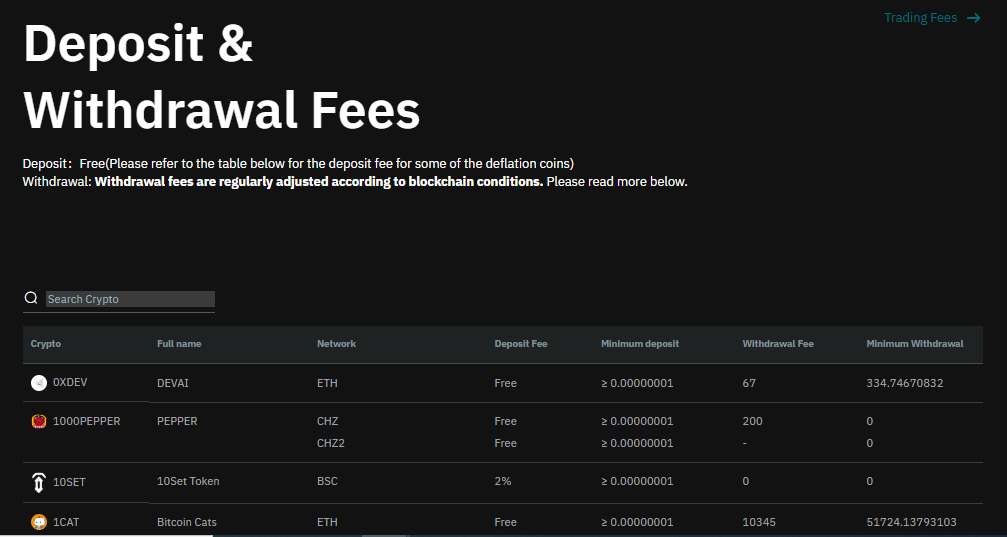
Cryptocurrency deposits are entirely free on Bitmart, with the platform charging only the inevitable blockchain network fees. For withdrawals, fees vary according to the cryptocurrency concerned. For example, a Bitcoin withdrawal costs about 0.0005 BTC, while an Ethereum withdrawal amounts to 0.01 ETH. These fees remain in the market average and are regularly adjusted according to network conditions.
BMX Token Benefits
Holders of BMX tokens benefit from significant discounts on all platform fees. Depending on the quantity of BMX held and used to pay fees, users can obtain discounts of up to 25% on their trading costs. This incentive encourages adoption of the native token and creates a virtuous circle for the Bitmart ecosystem.
Comparison with Competition
The table below compares Bitmart fees with its main competitors:
Exchange
Spot Trading (Maker/Taker)
Futures Trading (Maker/Taker)
Deposits
Withdrawals
Bitmart
0.25% / 0.25%
0.02% / 0.06%
Free
Variable by crypto
Bitget
0.10% / 0.10%
0.02% / 0.06%
Free
Variable by crypto
Bybit
0.10% / 0.10%
0.02% / 0.055%
Free
Variable by crypto
Binance
0.10% / 0.10%
0.02% / 0.04%
Free
Variable by crypto
This comparison reveals that Bitmart applies slightly higher spot trading fees than its direct competitors but remains competitive on futures trading. Fees can be significantly reduced by holding and using the native BMX token to pay commissions, offering up to 25% discount. For occasional traders, this difference remains marginal, while large volumes will benefit more from the VIP programs offered by each platform.
Copy Trading on Bitmart
Copy trading represents one of the most remarkable innovations of Bitmart, democratizing access to sophisticated trading strategies for investors of all levels. This feature allows users to automatically replicate the positions and decisions of the platform’s top-performing traders. The system connects “Master Traders” (experienced traders) with “Followers” (investors wishing to copy their strategies).
How Does Copy Trading Work ?
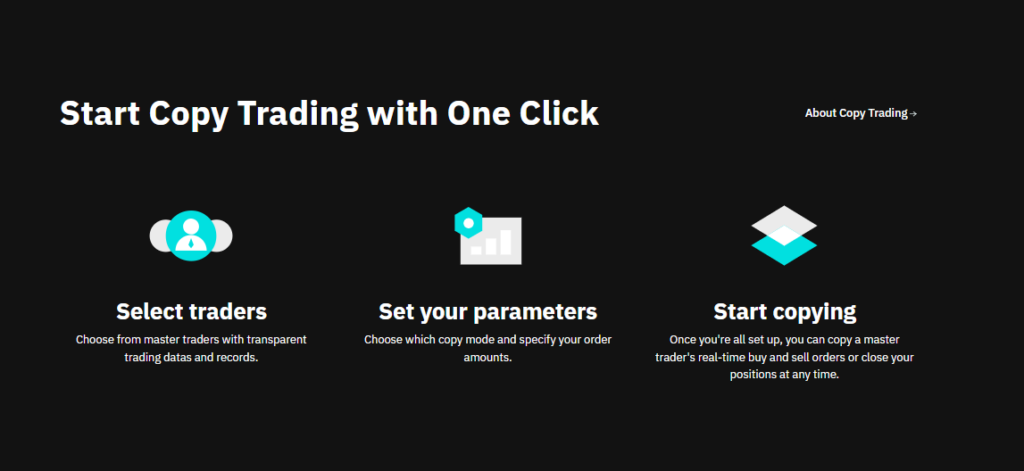
Bitmart offers a transparent ranking system of Master Traders based on several performance criteria. Users can analyze success rates, historical returns, maximum drawdowns, and performance consistency of each trader. This transparency allows Followers to make informed decisions when choosing strategies to copy.
Followers have granular control over their copy trading investments. They can define the maximum amount to allocate to each Master Trader, configure automatic stop-losses to limit losses, and establish profit thresholds to secure gains. This flexibility allows adapting copy trading to different risk profiles and investment objectives.
The system benefits both Master Traders and Followers. Master Traders receive a commission on profits generated by their Followers, creating a financial incentive to maintain high performance. Followers access professional strategies without requiring in-depth technical expertise, while retaining complete control over their funds. Bitmart encourages diversification by allowing users to follow multiple Master Traders simultaneously.
Our Review of Bitmart : Should You Sign Up in 2026 ?
Bitmart positions itself as a solid and comprehensive exchange platform that deserves the attention of crypto investors in 2026. With eight years of experience in the market, its user base of 9 million people, and its presence in 180 countries, the platform has demonstrated its ability to evolve. Strong points include its vast selection of more than 1500 cryptocurrencies, competitive fees, and advanced features such as copy trading and staking.
It’s worth mentioning the security incident of December 2021 which, although resolved with full reimbursement of affected users, reminds us of the importance of never keeping all your cryptocurrencies on an exchange. This recommendation applies to all centralized platforms, with Bitmart having since significantly strengthened its security protocols. Recognition by Investopedia as “Best Crypto Exchange for Altcoins” in 2024 testifies to the quality of its services.
In conclusion, Bitmart represents a relevant choice for investors seeking a diversified platform with innovative features. Its combination of traditional services and modern tools makes it an attractive option, particularly for those wishing to explore altcoins. As always in the crypto universe, a cautious approach and diversification across platforms remain recommended to optimize the security of your investments.
Caméléon de la rédaction et experte SEO, Maholy Ny Voary a découvert le monde des cryptomonnaies et du Web3 en 2021. Constamment à l’affût des nouveautés, elle continue de se former pour créer des contenus engageants qui aident véritablement les internautes.
FAQ – Frequently Asked Questions About BitMart
Is BitMart safe and reliable ?
BitMart has been operating since 2017 and serves over 9 million users worldwide. Despite the 2021 security breach, the exchange fully reimbursed affected users and has since strengthened its protection systems. Overall, the platform remains reliable, with robust security measures in place.
What are the trading fees on BitMart ?
Spot trading fees start at 0.25% for both Makers and Takers, with potential discounts based on trading volume. For futures trading, fees are 0.02% for Makers and 0.06% for Takers. Deposits are free, while withdrawal fees vary depending on the cryptocurrency.
Is KYC mandatory on BitMart ?
KYC is not required to open an account, but it’s mandatory to access full features such as higher withdrawal limits and copy trading. There are two verification levels: Starter and Advanced, each with its own limits.
Does BitMart accept deposits in euros ?
BitMart does not directly support deposits in euros or other fiat currencies. All deposits must be made in cryptocurrencies. You’ll need to own crypto on another platform or external wallet to fund your BitMart account.
Comment fonctionne le copy trading sur Bitmart ?
Copy trading lets you automatically replicate the strategies of top-performing traders. You select a Master Trader, set your investment amount, and their positions are copied proportionally to your account. You maintain full control with options for stop-loss and risk management.
DISCLAIMER
This article is for informational purposes only and should not be considered as investment advice. Trading cryptocurrencies involves risks, and it is important not to invest more than you can afford to lose.
InvestX is not responsible for the quality of the products or services presented on this page and cannot be held liable, directly or indirectly, for any damage or loss caused by the use of any product or service featured in this article. Investments in crypto assets are inherently risky; readers should conduct their own research before taking any action and invest only within their financial means. This article does not constitute investment advice.
Risk Warning : Trading financial instruments and/or cryptocurrencies carries a high level of risk, including the possibility of losing all or part of your investment. It may not be suitable for all investors. Cryptocurrency prices are highly volatile and can be influenced by external factors such as financial, regulatory, or political events. Margin trading increases financial risks.
CFDs (Contracts for Difference) are complex instruments with a high risk of rapid capital loss due to leverage. Between 74% and 89% of retail investor accounts lose money when trading CFDs. You should assess whether you understand how CFDs work and whether you can afford to take the high risk of losing your money.
Before engaging in financial or cryptocurrency trading, you must be fully informed about the associated risks and fees, carefully evaluate your investment objectives, level of experience, and risk tolerance, and seek professional advice if needed. InvestX.fr and the InvestX application may provide general market commentary, which does not constitute investment advice and should not be interpreted as such. Please consult an independent financial advisor for any investment-related questions. InvestX.fr disclaims any liability for errors, misinvestments, inaccuracies, or omissions and does not guarantee the accuracy or completeness of the information, texts, graphics, links, or other materials provided.
Some of the partners featured on this site may not be regulated in your country. It is your responsibility to verify the compliance of these services with local regulations before using them.
Get 6200 USDT with Bitget ! 🔥
Don't miss out on this offer !
Create your account now to unlock this exclusive reward